In the desktop version of Quickbooks 2019, the IIF import was recently changed to add file validation. Due to limited resources and support from Quickbooks on the new feature, Cyrious has limited information in order to resolve issues certain customers are seeing when using the new import functionality. Below are the steps recommended by Cyrious for using Quickbooks 2019 to import information.
Steps
- Export your Daily Closeout out of Control following your normal process.
- In Quickbooks, navigate to File > Utilies > Import > Import IIF Files.
- Quickbooks will prompt you to close all open screens before import. Click Ok.
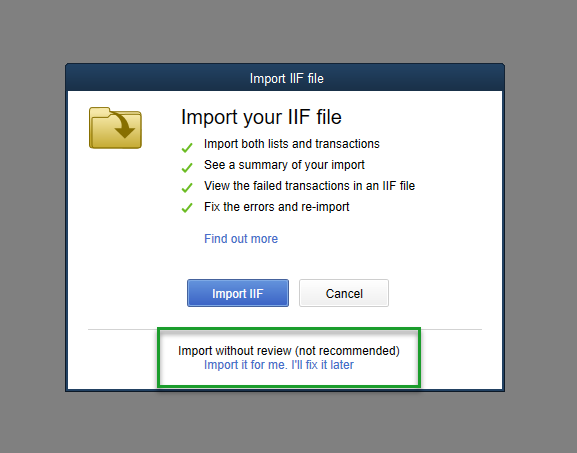
- When the Import IIF File dialog pops up, do NOT click “Import IIF”. Instead click “Import it for me, I'll fix it later.” at the bottom of the dialog box. This will import your file in the same way prior to the new feature.
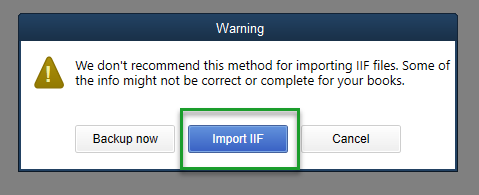
- When the following Warning dialog pops up, click Import IIF.


Source
Contributor: Cyrious Software
Date: 04/15/2019
Version: Control 6.1
You could leave a comment if you were logged in.